
Your employees' pay, without a single sheet of paper.
For your employees: one link, a start time, an end time, a photo of the receipt. For you: the total owed to each one, in a PDF report that lands in your inbox when you decide. Nothing to install, nothing to retype. And if the way you pay is more particular, Vigipay keeps up: overtime, statutory holidays, kilometres.
No credit card. Cancel anytime.
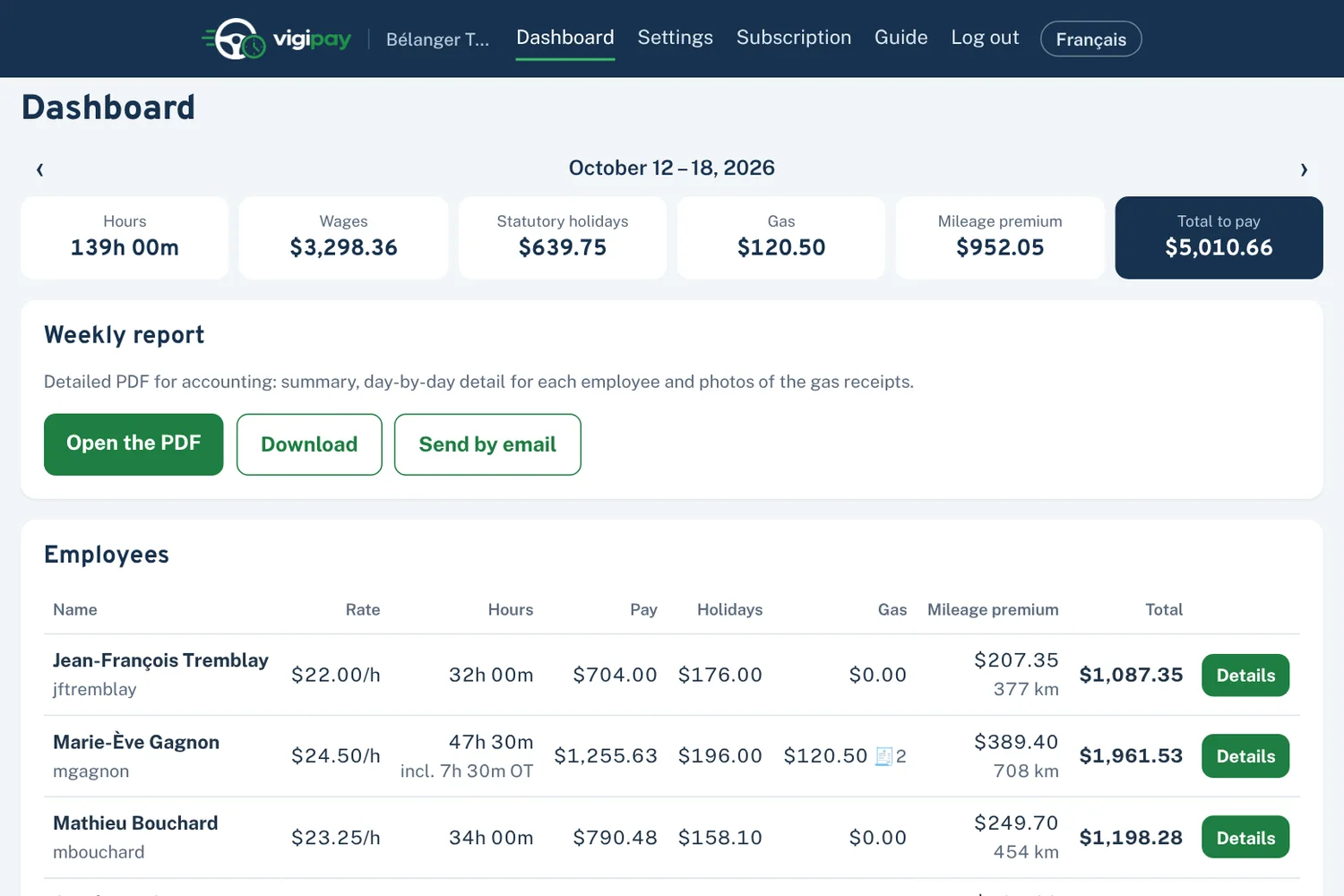
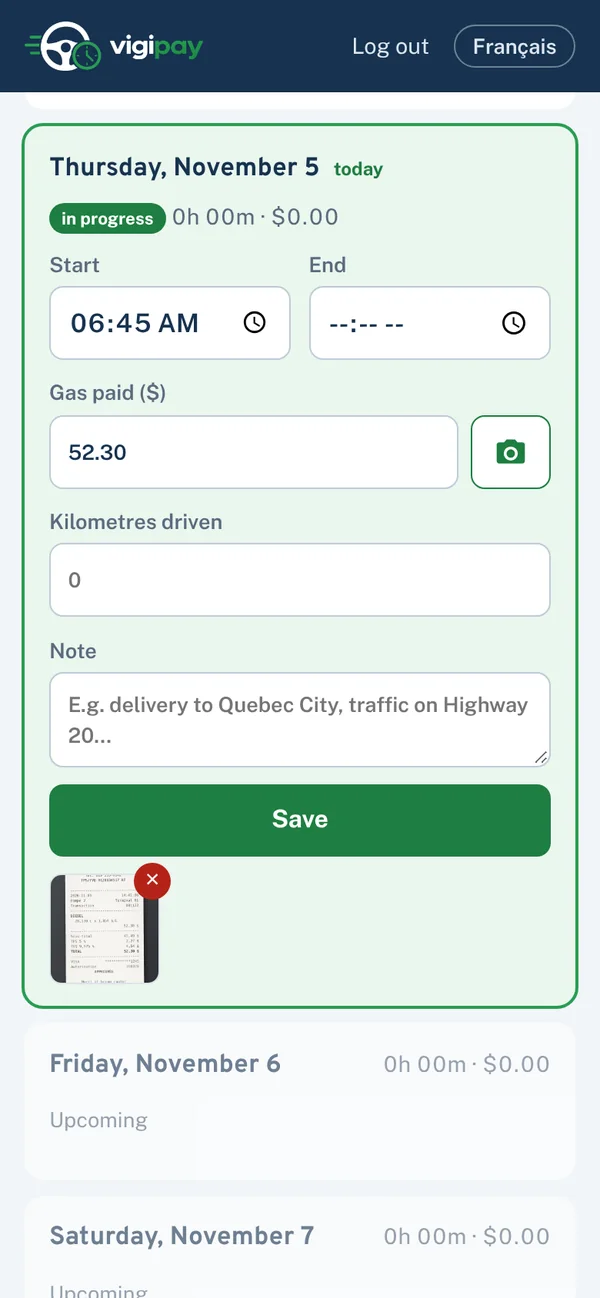
Simple for your employees. Simple for you.
For the employee
- They open your link in their phone's browser: no app to install.
- They enter a start time and an end time. That's all that's required.
- They see their week and what they're owed, without having to ask you.
- The gas receipt? One tap on the camera.
For the employer
- No more sheets to collect or numbers to retype into a spreadsheet.
- The exact total for each employee arrives in your inbox, on the day and at the time you choose.
- Pay rules (overtime, holidays, mileage) are options: you turn on only what you need.
- Your accountant gets their own read-only access, with no way to change anything.
Three steps, and the week takes care of itself
-
1
You create the logins
A username, a password and an hourly rate for each employee. You give them your login link, that's it.
-
2
They enter their day
Start time, end time, gas paid and a note if needed. The receipt? One tap on the camera icon and it's attached to the day.
-
3
You get the report by email
On the day and at the time you choose, the exact amount for each employee lands in your inbox, with the detailed PDF and the receipt photos.
Simple to start, flexible when you need it
With no setup, pay is simply hours × hourly rate. Every option below stays off until you turn it on: you only use what fits the way you pay, and you can change everything later.
The same 8-hour day at $24.50 an hour ($980 a week for the past 4 weeks), with no option, one, or two.
-
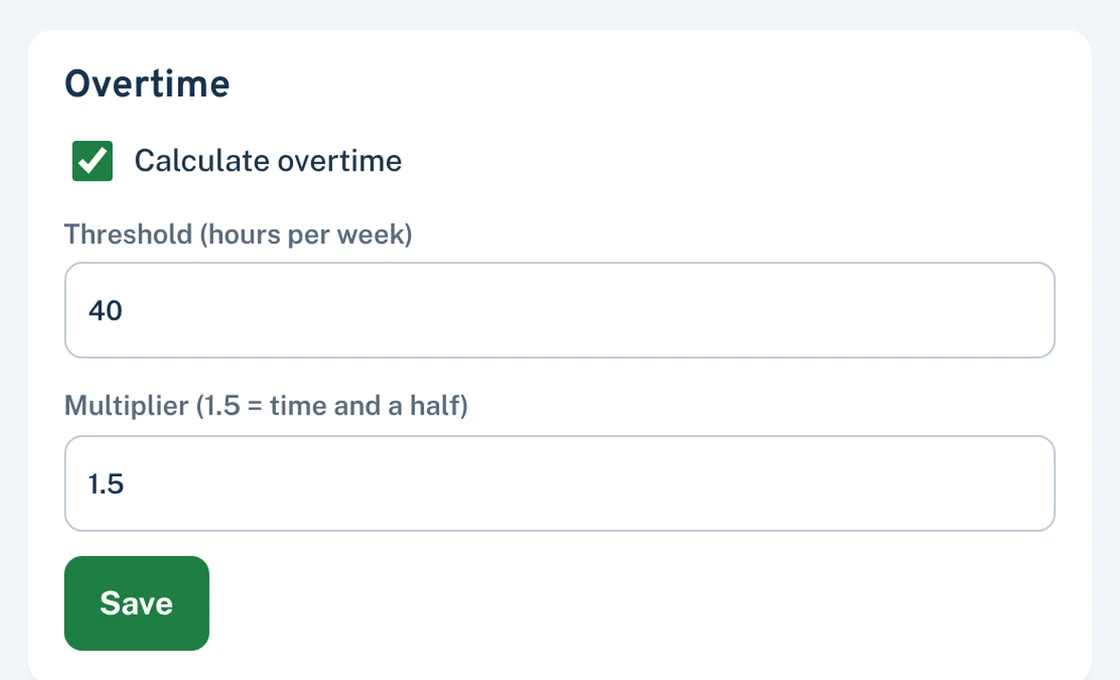
Overtime
Your weekly threshold (40 h, for example) and your multiplier (×1.5). Calculated for you, Monday to Sunday.
-
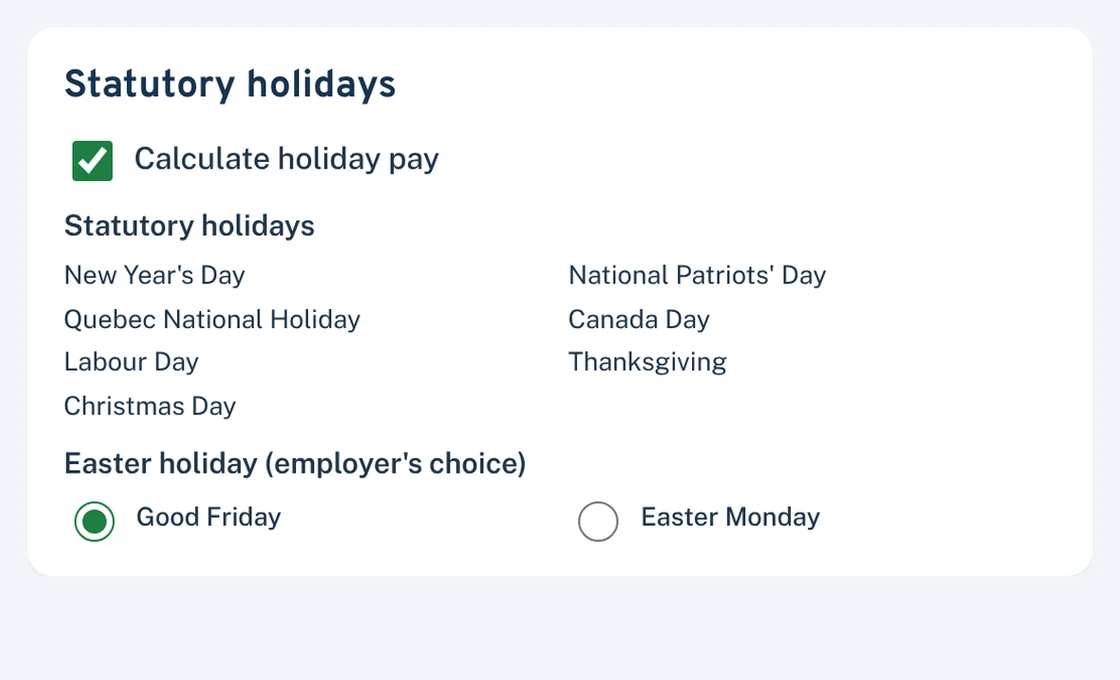
Statutory holidays, by the law
The 8 Quebec statutory holidays, calculated the way the Act respecting labour standards requires: 1/20 of the last 4 weeks' wages, overtime excluded. You pick your Easter holiday, and you can remove the pay for one specific employee.
-
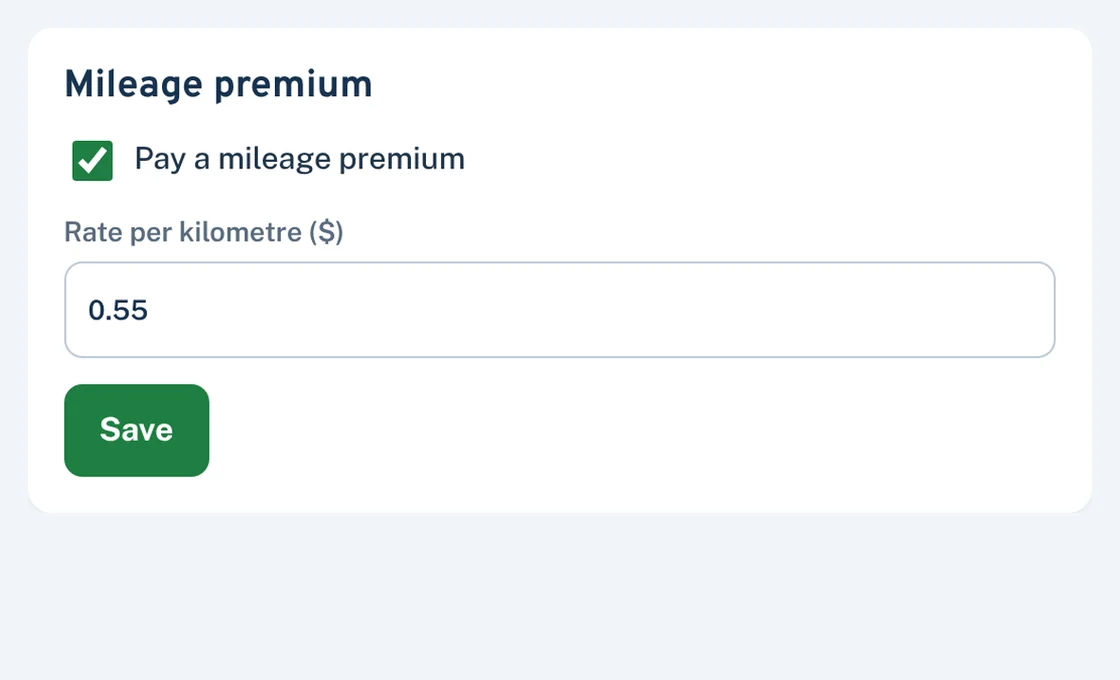
Mileage premium
One rate per kilometre. The employee enters their km, and the premium is added to the total on its own line.
-
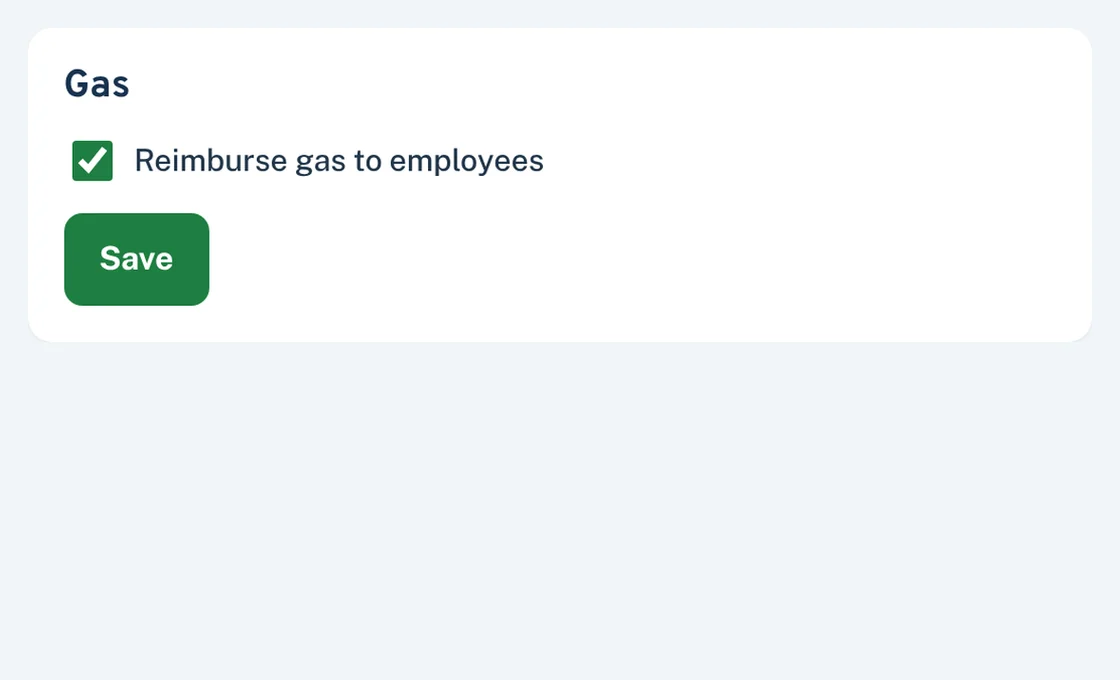
Gas reimbursed or not
Employees pay out of pocket? Reimburse. You provide a fuel card? Untick: receipts stay in the report without being added to the total.
-
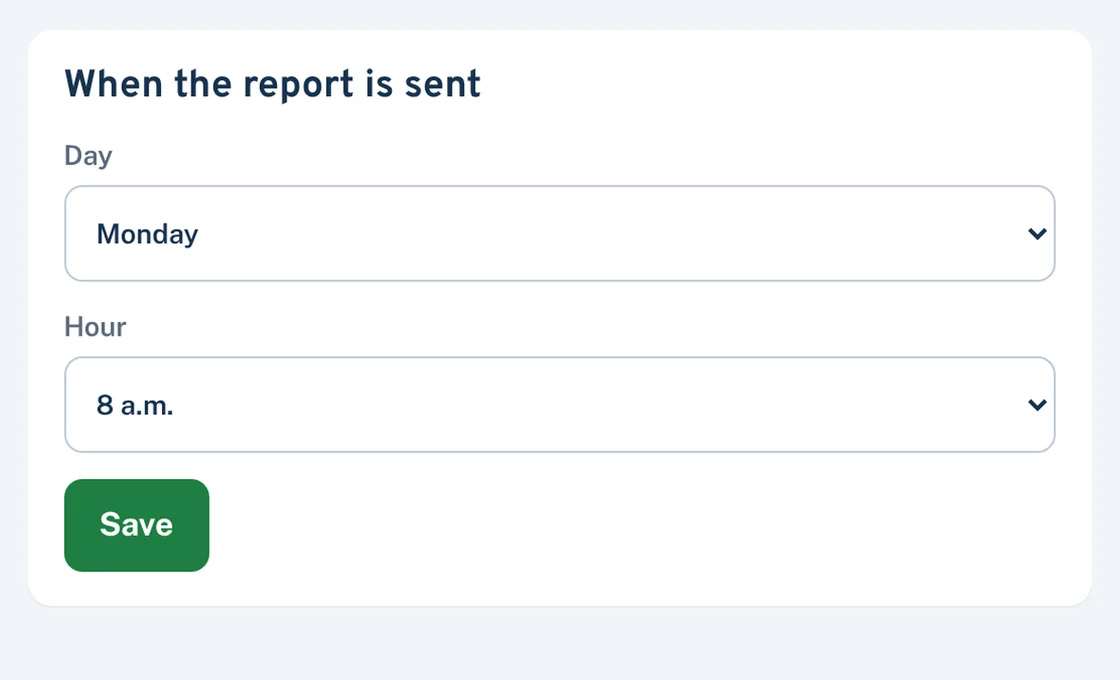
Report when you want it
The day and hour you choose, up to 5 email addresses. In French or in English.
-
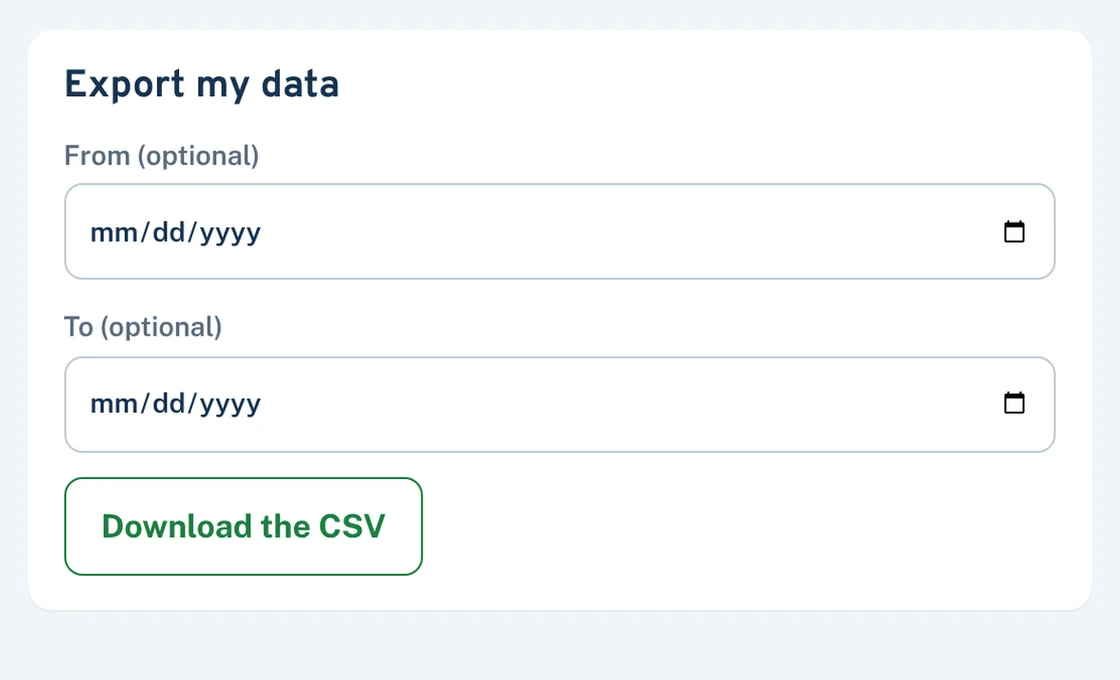
Export for Excel
A CSV file with one row per day, premiums and kilometres included, for your accountant.
Nothing to tick? It works right away. See every setting in the employer guide.
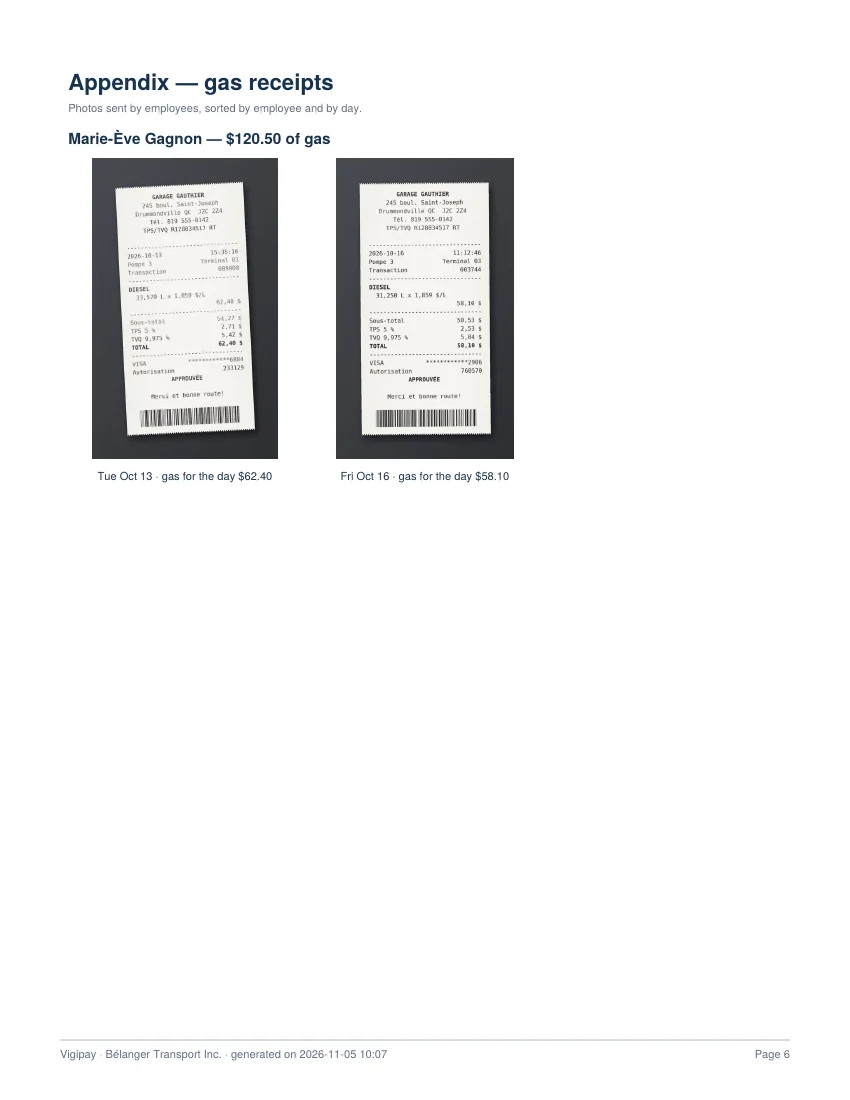
Every gas receipt is photographed and filed
At the pump, the employee taps the camera icon next to the amount. The receipt is attached to their day: no more crumpled papers in the truck, faded receipts or sheets to collect at the end of the week.
- One tap to take the photo, no app to install
- Each photo stays linked to its day and its amount
- The report flags gas entered without a receipt
- All the week's receipts, gathered in an appendix of the PDF
Your bookkeeping gets numbers, not sheets to retype
| Topic | With paper sheets | With Vigipay |
|---|---|---|
| Hours | Sheets to collect, hours to add up by hand | Hours and wages calculated for you, even for a shift that ends after midnight |
| Gas receipts | Crumpled, lost or unreadable | Photo taken on the spot, filed by employee and by day |
| The total to pay | A calculation to redo every week, with the risk of error | The exact amount for each employee, gas reimbursed if you want |
| For the accountant | Figures to re-enter in a spreadsheet | A detailed PDF with appendix, and a CSV export that opens in Excel |
| A year later | A box of papers to dig through | The whole history at your fingertips, photos included |
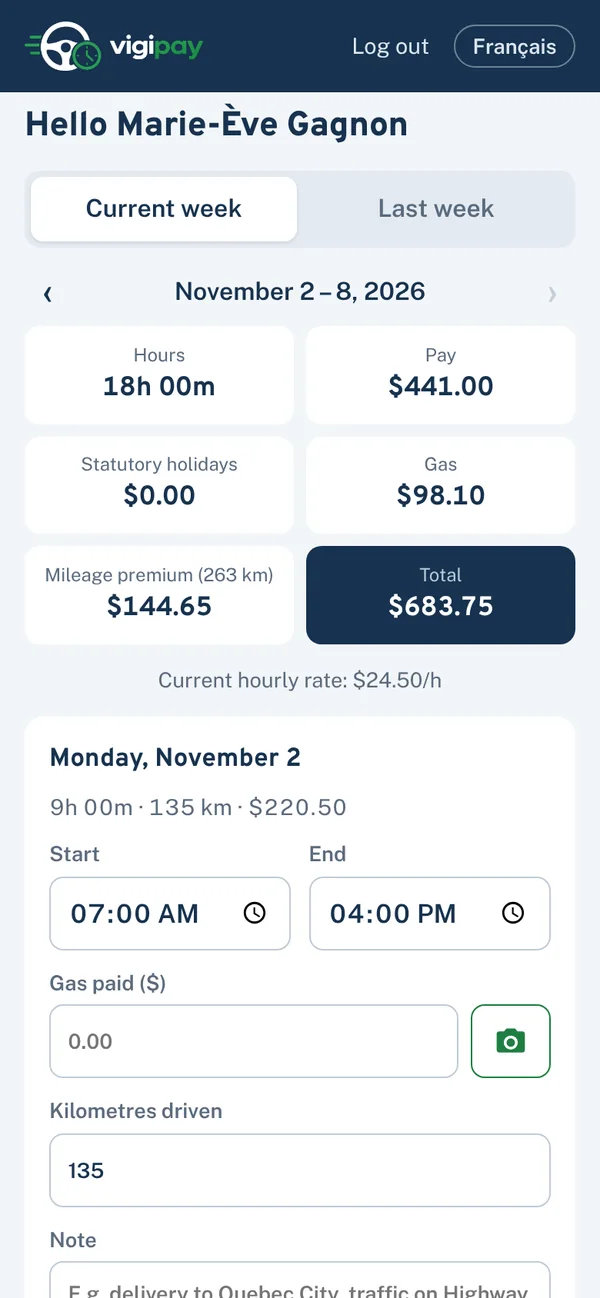
Designed for the employee's phone
Nothing to install: they open your link and enter their hours. The fields are large and the photo is shrunk before sending, so it works even with a weak signal on the road.
- Start, end, gas and note for each day
- A shift that ends after midnight is counted correctly
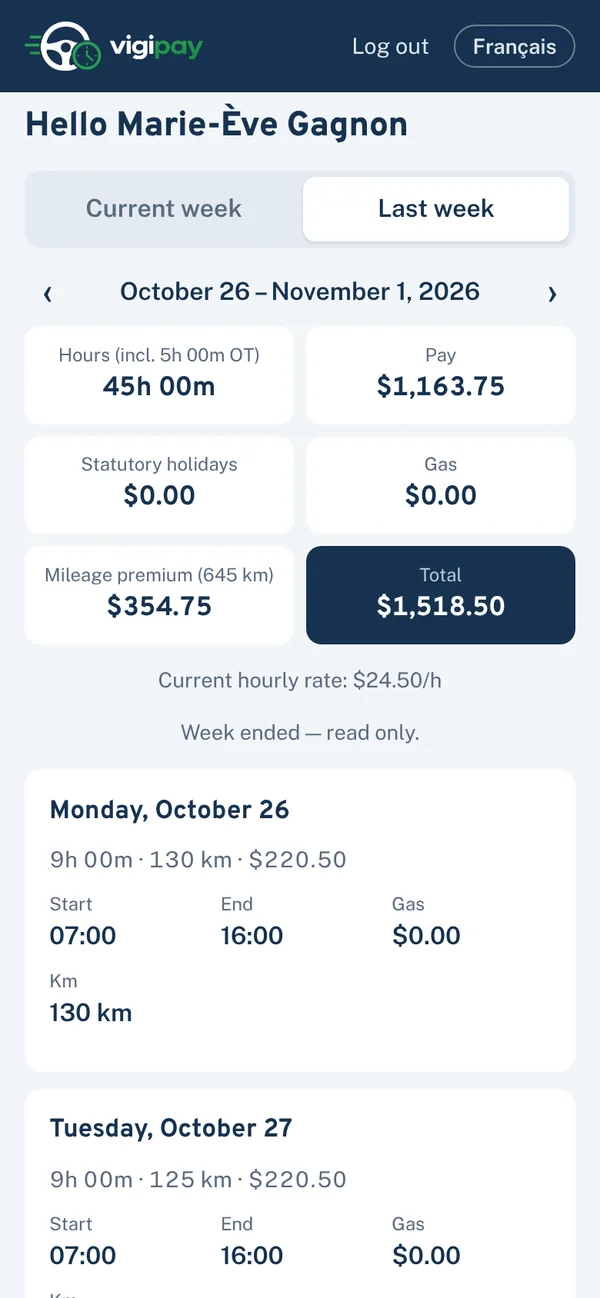
- They can fix the current week; past weeks are read-only
- They can add the link to their home screen, like an app
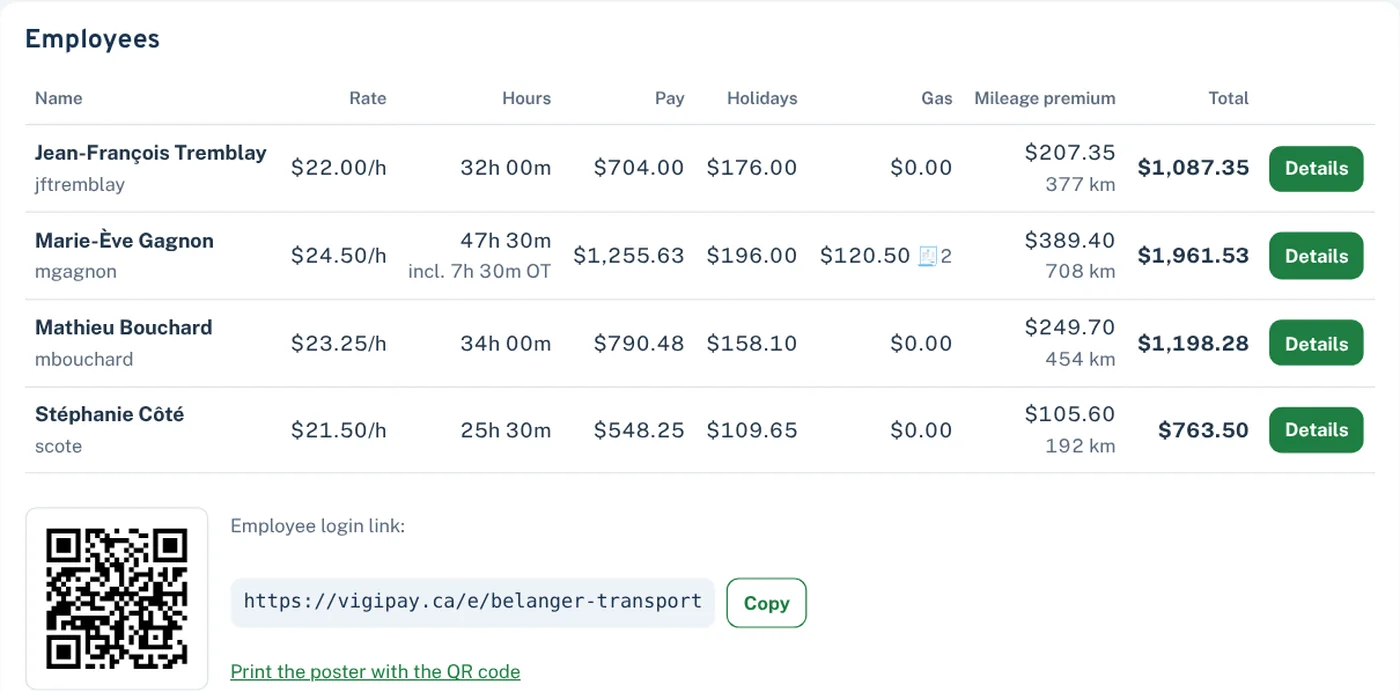
The exact amount to pay, employee by employee
Wages, reimbursed gas and mileage premium: each employee's total is calculated for you, week by week, Monday to Sunday.
- The rate is locked on each day: a raise doesn't change past weeks
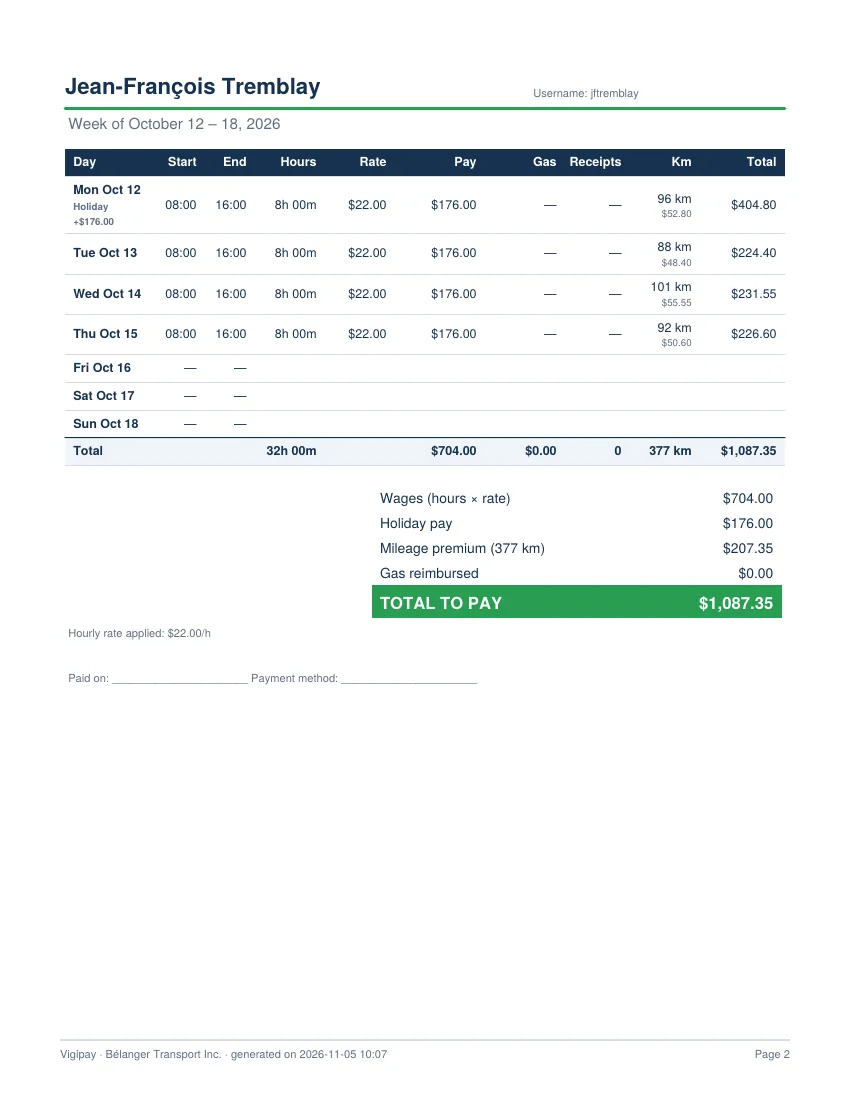
- Receipt photos and notes one click away
- If you provide a fuel card, untick reimbursement: amounts and receipts stay in the report without being added to the total
- Alerts in the report: missing end of shift, gas without a receipt
- Optional overtime, with your threshold and your premium
- Statutory holidays under the Act respecting labour standards: holiday pay of 1/20 of the last 4 weeks' wages, calculated for you
- Optional mileage premium: the employee enters their km, and the premium is added to the total on its own line
The report lands in your inbox when you decide
In your settings, you pick the day, Monday to Friday, and the time. Vigipay then sends you the report for the last full week: the total to pay per employee and a detailed PDF. No technical setup: you enter your address, that's all.
- Up to 5 addresses: you, your accountant, your partner
- Day and time can be changed anytime

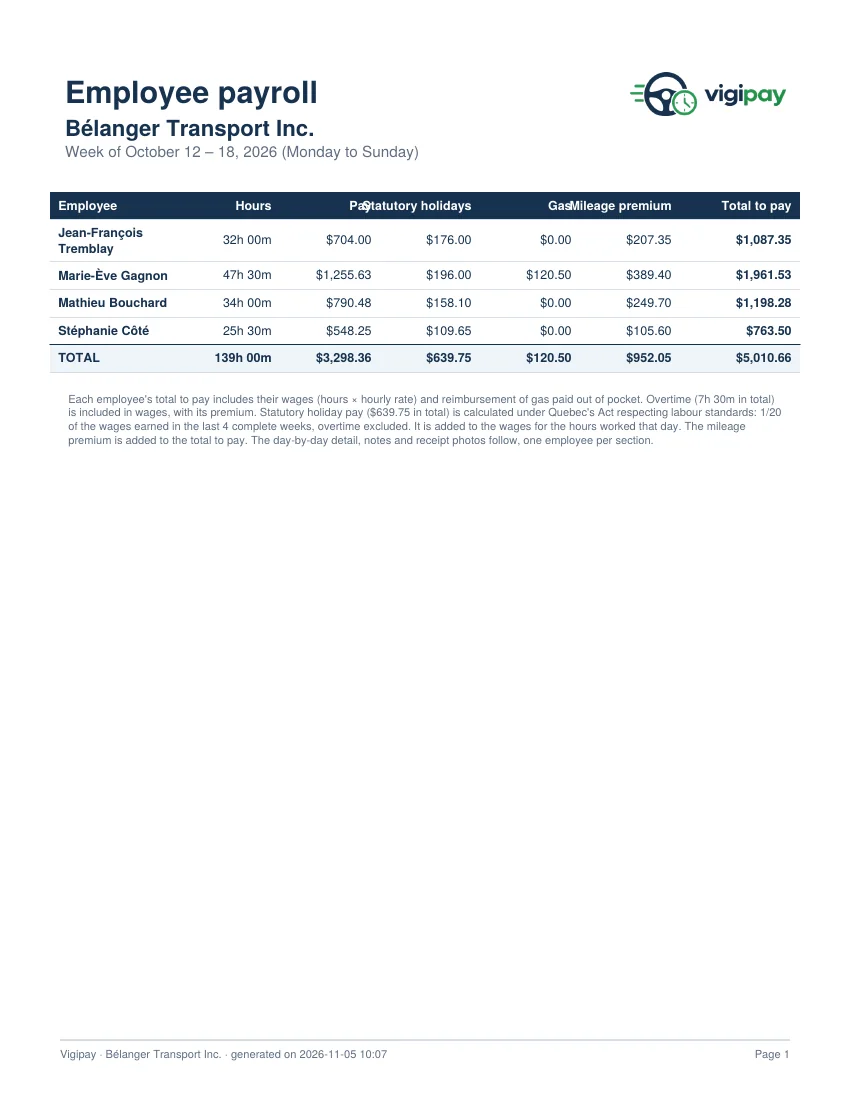
Here is the payroll report for Bélanger Transport Inc. for the week of October 12 – 18, 2026.
To pay per employee (wages + gas + km):
- Jean-François Tremblay: $1,087.35
- Marie-Ève Gagnon: $1,961.53
- Mathieu Bouchard: $1,198.28
- Stéphanie Côté: $763.50
Total: $5,010.66
Holiday pay: $639.75 · Mileage premium: $952.05
The PDF attached to the email
Also included
- CSV export Your complete data, openable in Excel, whenever you want.
- Notes per day The employee explains a delay or a detour, and you see it in the report.
- A link with your name Your employees log in on a page with your company name.
- Access for your accountant They view reports and export data in read-only mode, with no way to change anything.
- Logins you can turn off An employee who leaves can no longer log in; their history stays.
- Your data is yours Export it or delete your account in one click.
- Two illustrated guides One for your employees, one for you: employee · employer.
- French and English The site, PDF reports and emails, in the language you choose.
Three plans, every feature in each one
You pick by the number of active employees, nothing else. Try Vigipay for 14 days with no credit card: if it suits you, subscribe; if not, there's nothing to do.
In every plan, at no extra cost:
- PDF report by email, on the day and at the time you choose
- Photo receipts, overtime, statutory holidays, mileage premium, CSV export
- Read-only access for your accountant
- Site, reports and emails in French and English
- Change plans or cancel anytime
Frequently asked questions
Do my employees have to install an app?
No. They open your link in their phone's browser. They can add it to the home screen to open it in one tap.
Can I choose when I receive the report?
Yes. In the settings, you pick the day (Monday to Friday) and the time. The report always covers the last full week, Monday to Sunday, and goes out within fifteen minutes after the chosen time. You can change it anytime.
Do the receipt photos replace the paper originals?
Vigipay keeps each receipt's photo with its day and puts it in the PDF report's appendix, which you can archive yourself. Record-keeping rules for supporting documents depend on your business: ask your accountant whether you can do without the originals.
Does Vigipay run my payroll, with deductions and pay stubs?
No. Vigipay calculates hours, gross wages (with the premiums you choose), the mileage premium and the gas to reimburse from the rates you set. For source deductions, filings and pay stubs, you keep your payroll tool or your accountant: the PDF report gives them all the figures.
Are statutory holidays calculated according to the law?
Yes, as an option. Vigipay applies the method of Quebec's Act respecting labour standards: for each statutory holiday, the pay is 1/20 of the wages earned during the 4 complete pay weeks before, overtime excluded. It is paid whether or not the employee works that day, and it is added to the wages for the hours worked. You can remove it for one employee (an unauthorized absence the day before or after, for example). Compensatory days off and commission-paid employees are not calculated: check your situation with your accountant or the CNESST. For kilometres, you set a rate per km and the employee enters their kilometres each day. Everything is explained in the employer guide.
What happens if an employee forgets their end time?
The day is counted as zero hours and the report flags it clearly before you pay. You can fix the day yourself from your dashboard.
What is the difference between the plans?
Just one thing: the number of active employees. Essential: up to 8, Pro: up to 20, Team: up to 50. Every feature is in every plan. You can change plans anytime from the Subscription page.
Can my accountant view the reports?
Yes. You create an accountant login in the settings (up to 3). They can view the dashboard, each employee's page, the PDF reports, the receipts and the CSV export, but they can't enter or change anything.
What happens when the trial ends?
You can subscribe to continue. Otherwise your account becomes read-only: you can still view and export your data, but not enter anything.
Is my data safe?
Each company only sees its own data. Connections are encrypted, passwords are never stored in plain text, and receipt photos are visible only to the employee concerned and to you. Details are in the privacy policy.
Can I get my data back or delete everything?
Yes. You can export all your data as CSV anytime, and delete your account and all its content from the settings.