
Mileage premium: paying your employees per kilometre
Do you pay your employees per kilometre when they hit the road? Vigipay records the kilometres of each day and calculates the premium for you, at the rate you choose.
Try it free for 14 days No credit card to start.
How it works
- In your settings, turn on the mileage premium and enter your rate per kilometre (for example $0.55).
- A "Kilometres driven" field appears in each of your employees' days, on their phone.
- Vigipay calculates the premium: kilometres × rate, with no threshold. It is added to the total to pay.
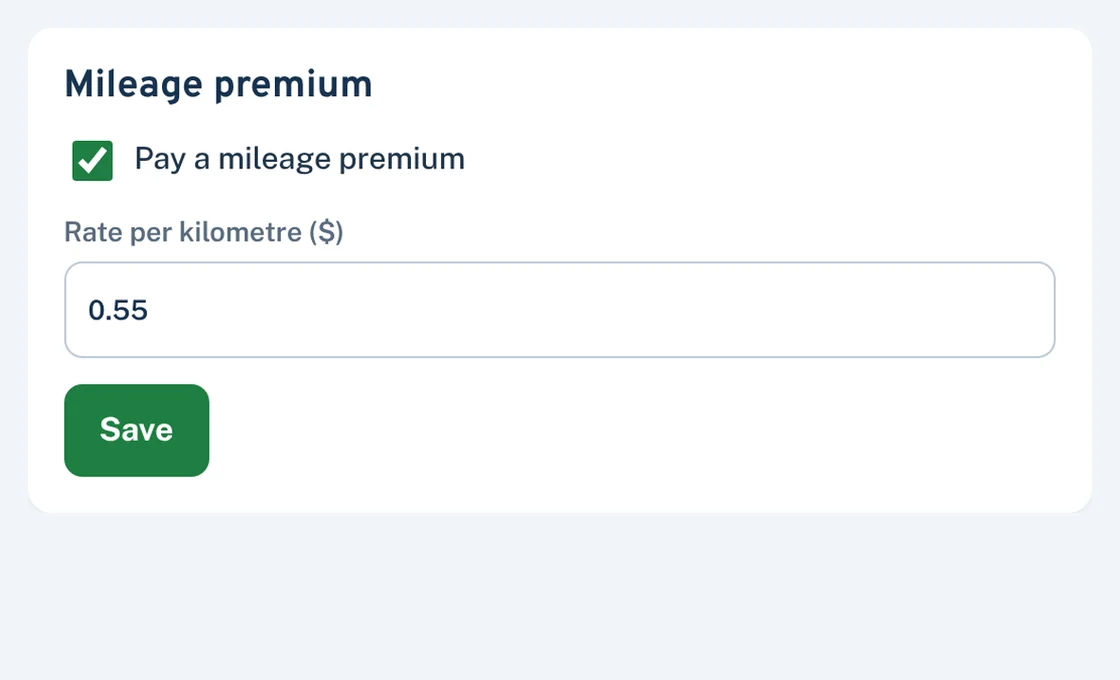
An example
At $0.55 per kilometre, an employee who drives 120 km in a day gets a $66.00 premium for that day, on top of their wages. Over the week, Vigipay adds up each day's kilometres and premium.
Built to avoid mistakes
- The rate is locked in on each day. If you change it, days already entered keep the old rate.
- The premium has its own line in the dashboard, the PDF report, the email and the CSV export: your accountant can tell it apart from wages.
- You can turn the option off at any time: kilometres already entered are kept, but no longer added to the total.
What about taxes?
A per-kilometre allowance can be taxable or not depending on the rate and how it is paid. Those rules come from the federal and Quebec tax authorities: Vigipay calculates the amount, but does not decide how it is taxed. Check your rate with your accountant.
Frequently asked questions
What rate per kilometre should I pay?
You set it. How a per-kilometre allowance is taxed (taxable or not, what counts as a reasonable rate) depends on federal and Quebec tax rules: check your rate with your accountant.
If I change the rate, do past days change?
No. The rate is saved with each day. Days already entered keep the old rate; the new one applies to the following days.
Can I pay per kilometre and reimburse gas at the same time?
Yes. The two options are independent: you can turn on the mileage premium, gas reimbursement, or both.
Try it with your team
Every feature is included during the 14-day free trial. Plans start at $99 per month, plus taxes.