
Online timesheets for your employees
No more paper timesheets to collect and retype on Monday morning. Your employees enter their hours on their phone, every day, and Vigipay works out what you owe each of them.
Try it free for 14 days No credit card to start.
The trouble with paper timesheets
A paper timesheet has to be handed out, collected, deciphered, then copied into a spreadsheet before you can work out the pay. Mistakes show up too late, gas receipts get lost in a truck, and it all starts again every week.
How it works with Vigipay
- You create a login for each employee: a username, a password and their hourly rate.
- The employee opens your link on their phone. No app to install: they can add the link to their home screen.
- Every day, they enter their start and end time, and when needed the gas (with a photo of the receipt), their kilometres and a note.
- They see their week and what they earned. They can fix the current week; past weeks are read-only.
- You get the report on the day and at the time you choose: the total to pay for each employee, as a PDF, by email.
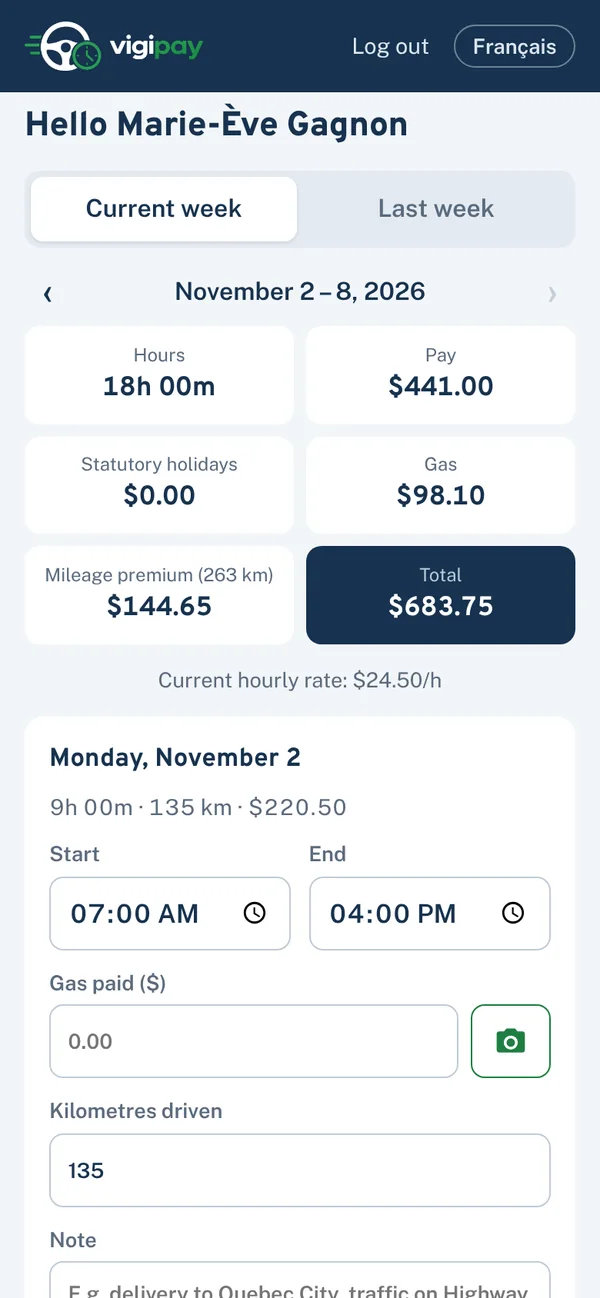
What Vigipay calculates for you
- Hours and gross wages, from each employee's hourly rate.
- Overtime, if you turn it on: a weekly threshold and the premium you choose.
- Statutory holidays, if you turn them on, using the method of Quebec's Act respecting labour standards.
- Gas to reimburse and the mileage premium, each on its own line.
Questionable days are flagged before you pay: a missing end time, or an end time before the start time. You fix the day in two clicks from your dashboard.
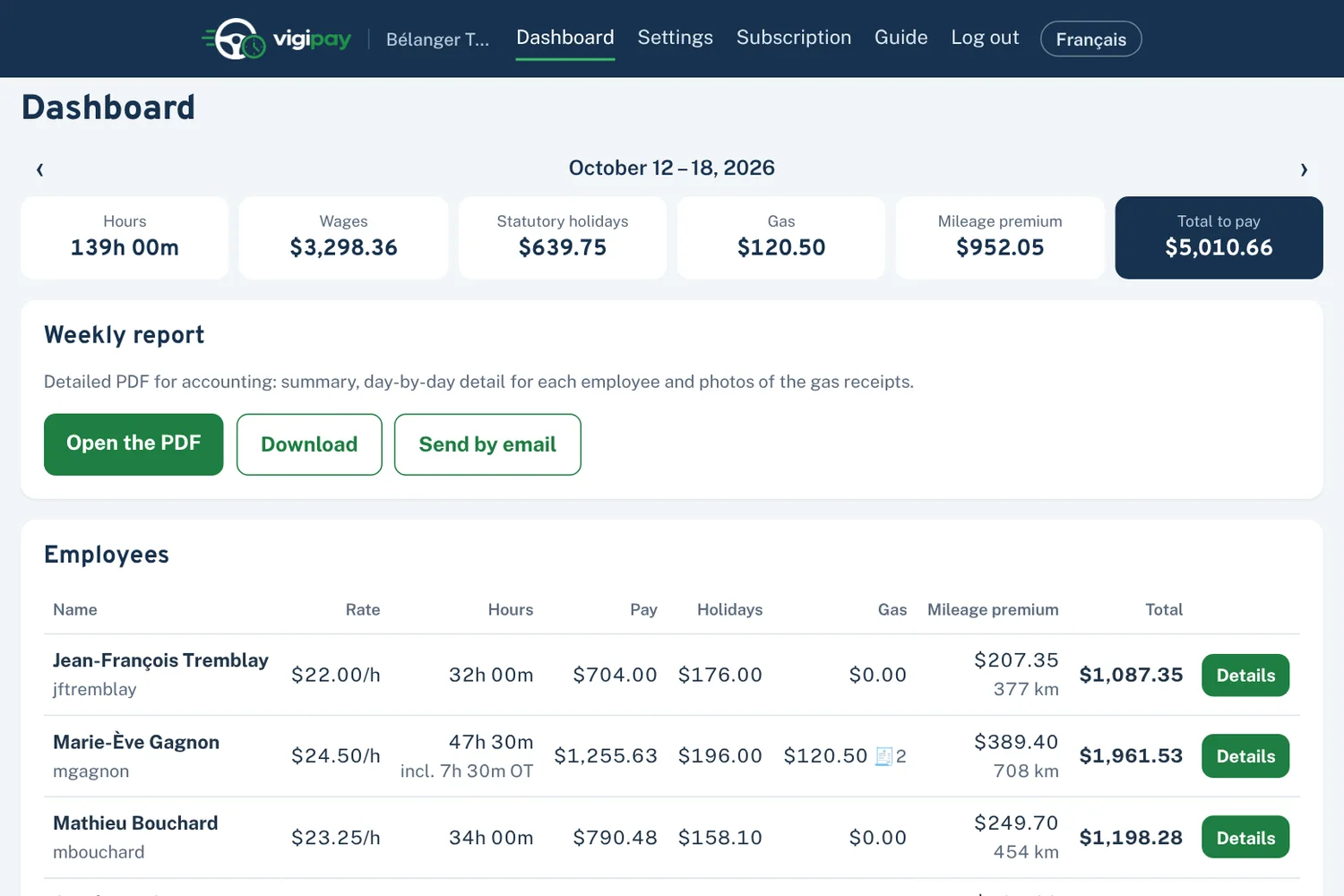
What Vigipay does not do
Vigipay does not replace your payroll tool: it does not calculate source deductions or produce pay stubs. The PDF report and the CSV export give your accountant or your payroll software all the figures for the week.
Frequently asked questions
Do my employees need a computer?
No. They fill in their timesheet on their phone, in the browser. They can add the link to their home screen to open it like an app.
What if an employee enters the wrong time?
If the end time is before the start time, the day is flagged as ending the next day in your dashboard and in the report. A missing end time is flagged too. You can fix the day yourself.
Is overtime calculated?
Yes, if you turn on the option: you set the weekly threshold (for example 40 h) and the premium (for example 1.5). Hours above the threshold, Monday to Sunday, get the premium.
Can my accountant see the timesheets?
Yes. You create a read-only accountant login: they can view the weeks, the PDF reports, the receipts and the CSV export, without being able to change anything.
Try it with your team
Every feature is included during the 14-day free trial. Plans start at $99 per month, plus taxes.